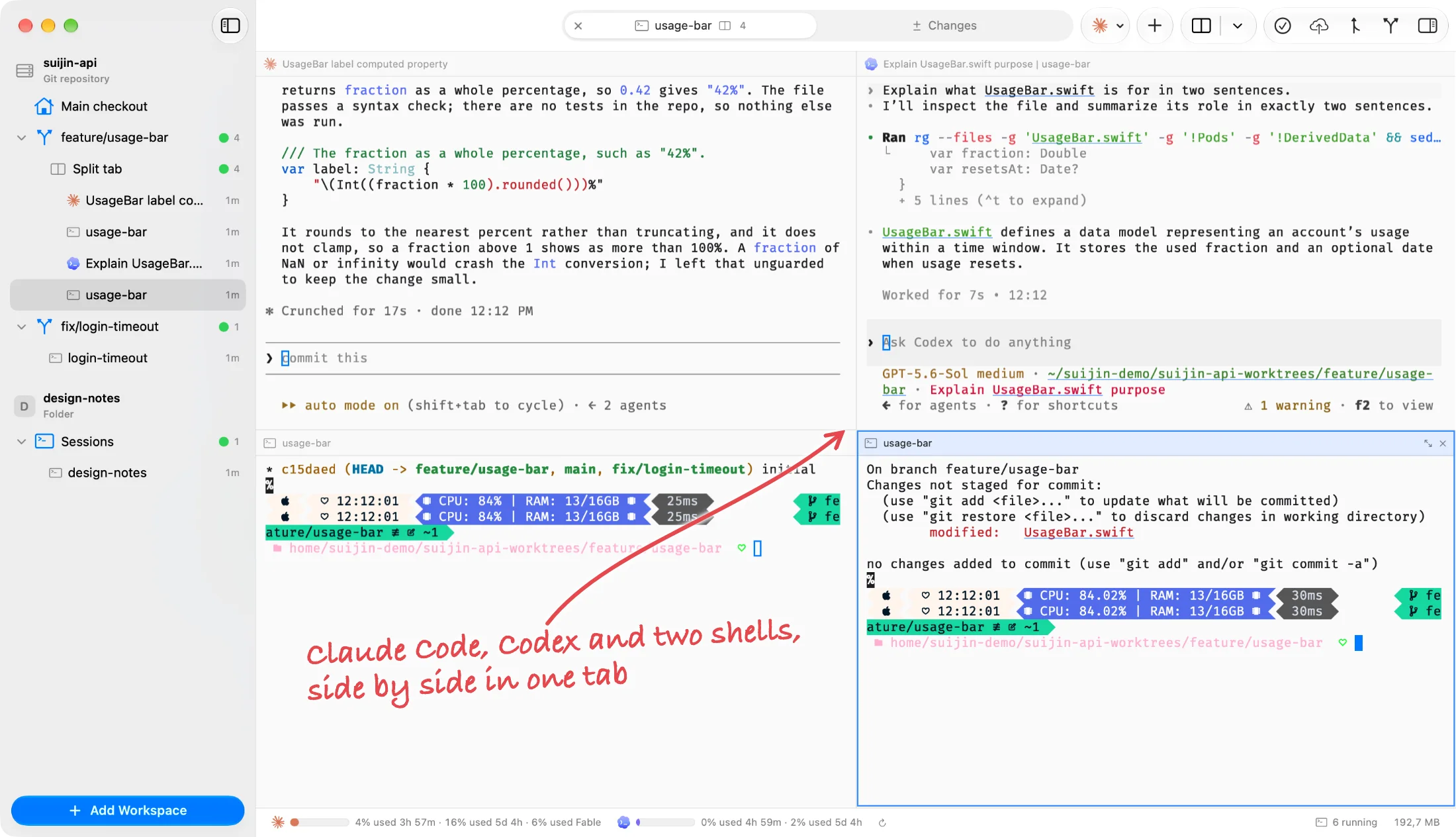
Split anything
A tab holds up to ten sessions as panes. Split right or down, drag a pane by its header to rearrange, zoom the one you are reading.
⌘T⌘D⇧⌘D⇧⌘↩
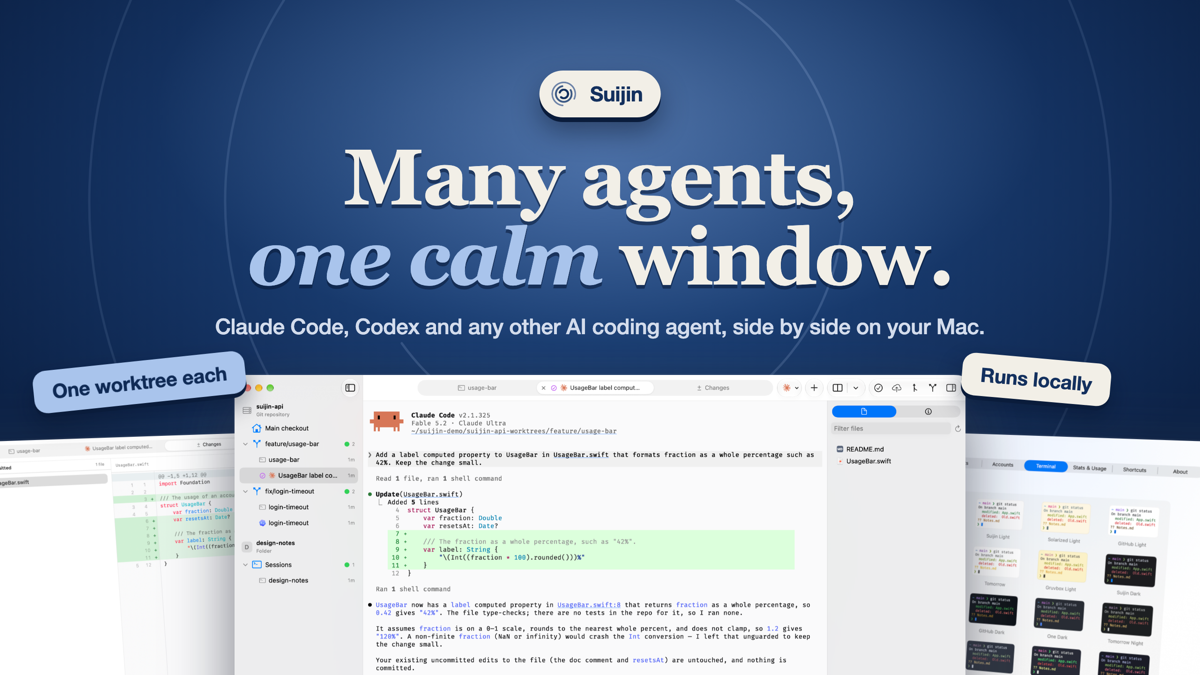
Suijin is a native macOS app that runs Claude Code, Codex and any other AI coding agent side by side, each in a git worktree of its own.
Bring your own agent
Claude Code and Codex are built in, with status, accounts, permission modes and orchestration. Any other command-line agent runs in a shell pane next to them, in its own worktree.
Features
One window for the whole loop: run agents in parallel, watch them, review what they changed, and ship it.
A tab holds up to ten sessions as panes. Split right or down, drag a pane by its header to rearrange, zoom the one you are reading.
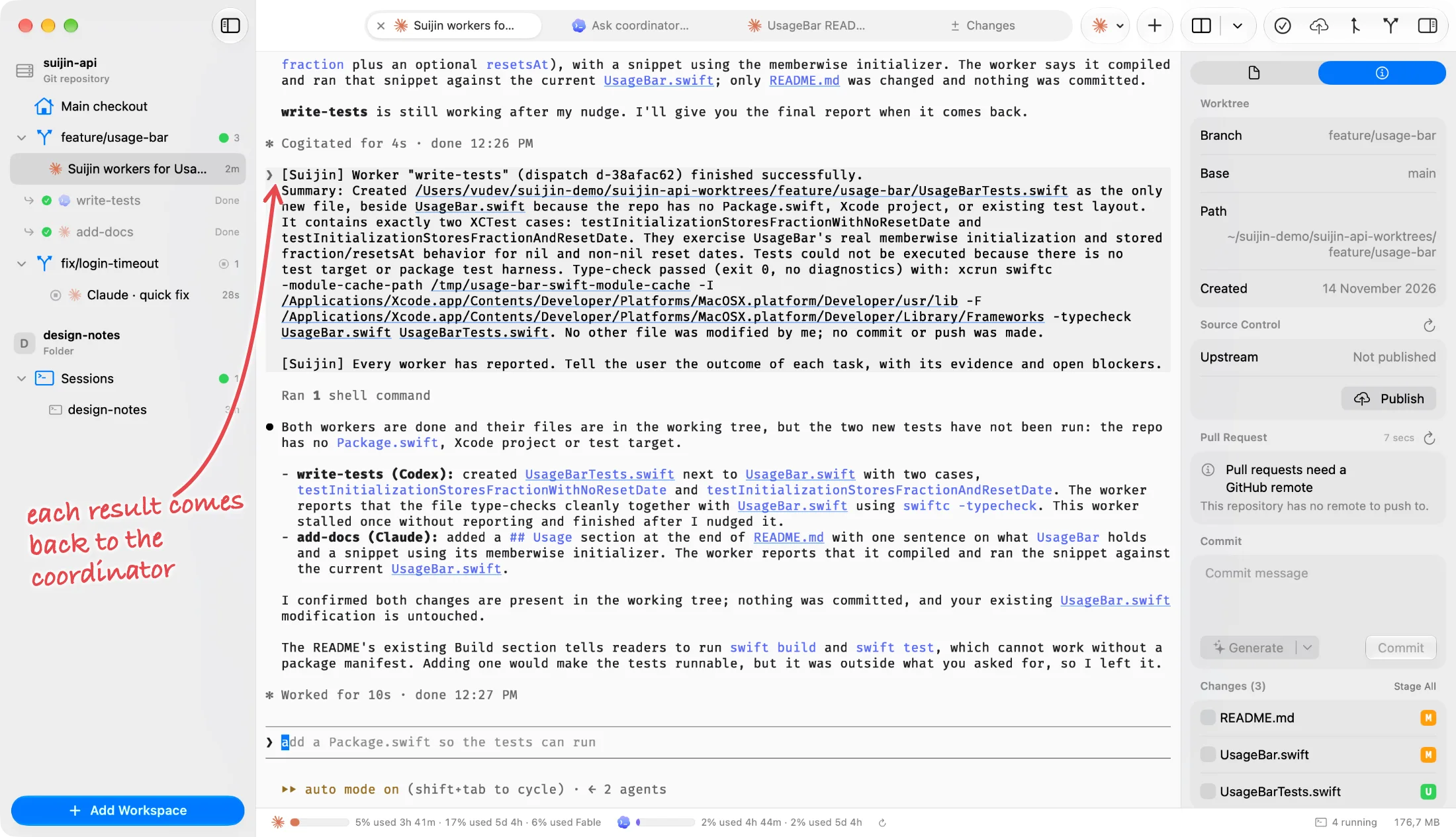
Ask for "Suijin workers" and an agent starts others with the bundled suijin command, answers their questions and collects their results.
Every agent gets its own folder on its own branch, so two of them can change the same project without overwriting each other.
Agents run in a background helper. Quit or update Suijin and they keep working; open it again and they are where you left them.
Start each session in Ask, Auto-Accept Edits, Plan or Skip All Permissions. A session that skips checks carries a warning badge.
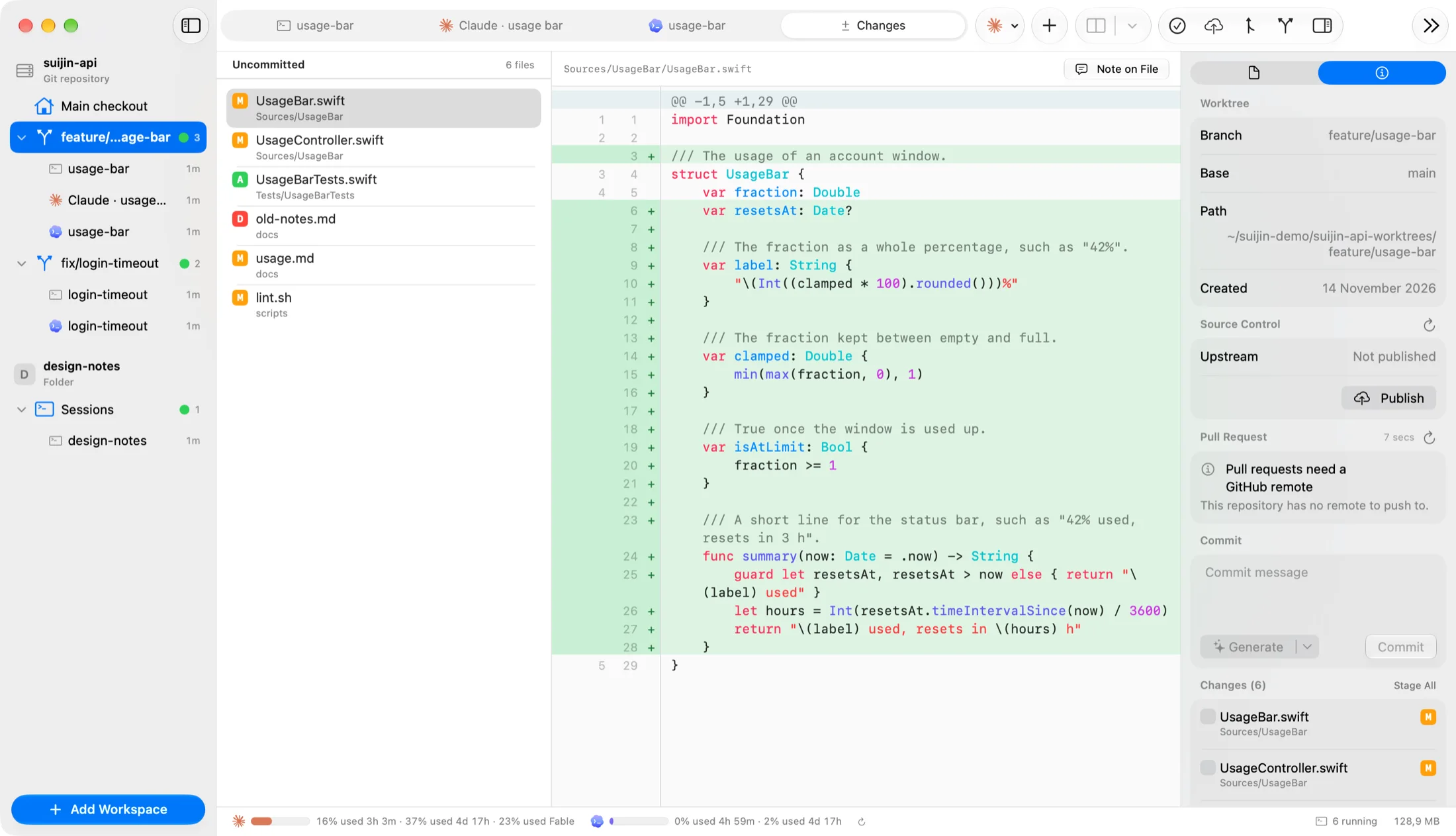
A native diff viewer with syntax highlighting. Leave a note on a line and send it back to the agent, then commit and open the pull request from the same tab.
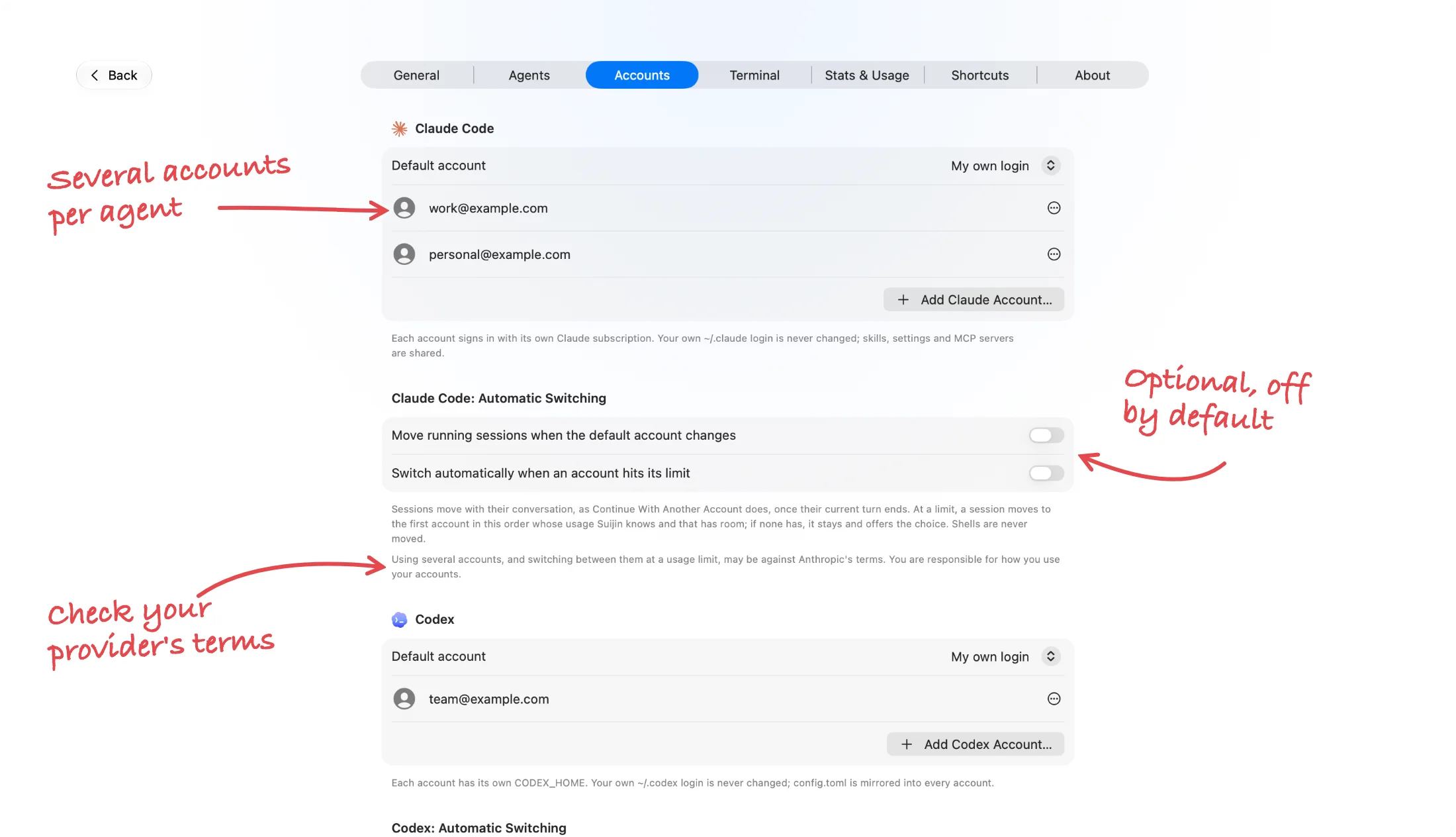
Add more than one Claude or Codex account and see each plan's usage. When one runs out, continue the conversation on another account yourself, in the same tab. Switching at a limit is an option, off by default.
Markdown rendered, code highlighted, images you can zoom, video and audio with a player, all in a tab next to the agent. Edit a Markdown file in place, comment on a passage and send the comments back to the agent.
A status on every session and a notification when an agent finishes or waits for you, so you can look away.
Each plan's limits in the status bar, and tokens, estimated cost and activity per day in Settings.
Suijin is written in Swift with SwiftUI and AppKit. There is no web browser bundled inside it, so the window that holds your agents costs little next to the agents themselves.
Measured on Suijin 0.1.0 on an Apple silicon Mac. Every agent and shell you start uses memory of its own.
How it works
Point Suijin at a git repository, or at a plain folder if you do not need branches and diffs.
Create a worktree on a new branch and start an agent in it. Repeat for as many agents as the job needs.
Read each branch's diff, send notes back, then commit and open the pull request without switching apps.
Private by design
Suijin is a native app, not a service. There is nothing to sign up for and no server of ours between you and your agents.
Read the privacy page →Suijin is a native macOS app for running several AI coding agents at the same time. Each agent works in a git worktree of its own, so their changes never collide, and you review, commit and open pull requests for what they did from the same window.
Claude Code and Codex are built in: Suijin shows their status, manages their accounts and permission modes, and lets them hand work to each other. Any other agent that runs in a terminal, such as Gemini CLI, Aider or OpenCode, runs in a shell tab or pane next to them, with its own worktree and a place in split layouts, but without those extra features.
Not through Suijin. The app has no account and no server that sees your code or conversations. The agents you run talk to their own providers, exactly as they do in any terminal.
A worktree is a separate folder checked out on its own branch of the same repository. Giving every agent one means two agents can edit the same project at once without overwriting each other, and each branch can be reviewed and merged on its own.
Yes, by default. Sessions run in a background helper, so closing or updating Suijin does not stop them, and they are there when you open the app again. Closing a tab ends its session.
Yes. You can add several managed accounts per agent, choose which one a session uses, and continue a conversation on another account yourself, in the same tab. Moving sessions at a usage limit is an option and is off by default. Your own existing logins are never changed. Using several accounts, and switching between them at a usage limit, may be against the terms of Anthropic or OpenAI; check them, because you are responsible for how you use your accounts.
About once a day it asks suijin.app whether a newer version exists; that request carries only the app's name and version, and is counted per day and version with nothing about you kept. To show usage limits it asks Anthropic or OpenAI with your own login. Everything else is the agents and tools you run yourself.
Yes. The source is on GitHub under the Apache License 2.0, so you may read, build, change and redistribute it. The license covers the code, not the Suijin name or icon.
A Mac with macOS 15 or later; the Liquid Glass interface needs macOS 26 or later. For the built-in agents, Claude Code and/or Codex installed on your Mac. Suijin is signed with a Developer ID and notarized by Apple, and is distributed outside the Mac App Store.
Community
Ask a question, show what your agents shipped, or tell us what is missing. Suijin's roadmap is shaped there.

Suijin 0.1.0 needs macOS 15 or later. It is signed with a Developer ID, notarized by Apple, and updates itself.